
Quick Answer
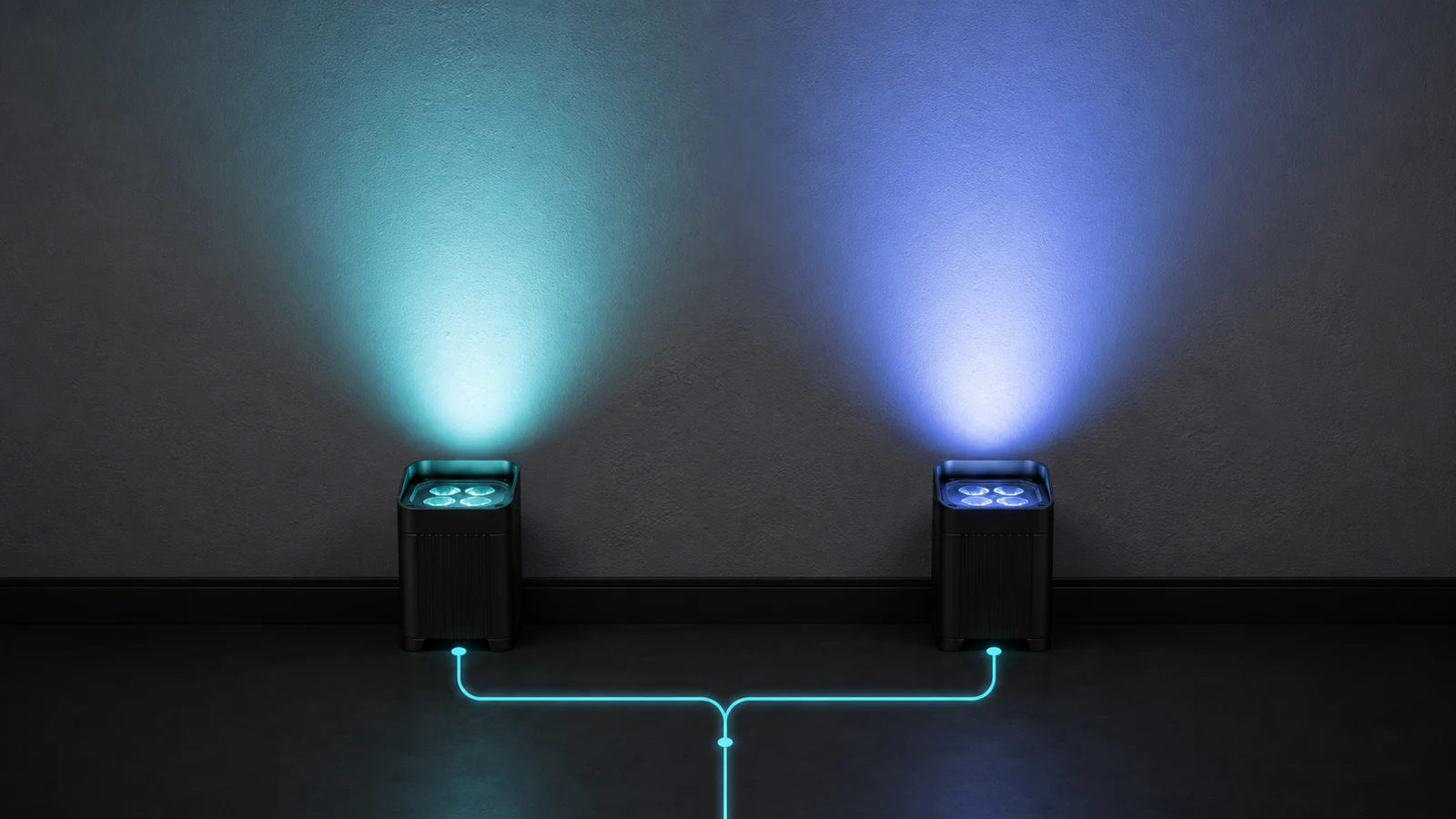
Two battery uplights can receive the same DMX values and still produce different colors because DMX transmits control data, not a guaranteed spectrum. Red 180, green 90, blue 40 tells each fixture how to interpret three channel levels. It does not make their LED wavelengths, flux, electronics, optics, battery condition, temperature, or age identical.
For reliable battery uplight color consistency, confirm the model, DMX personality, firmware, curve, optics, and operating state. Compare single emitters, mixed colors, and white at a fixed distance on a neutral surface. If a controlled mismatch exists across a new batch, request production records and a measured comparison rather than correcting every unit by eye.
Core point: the same 0–255 DMX value guarantees the same digital command only when addressing and personalities match. It does not guarantee the same spectral power distribution, chromaticity, or camera response.
What a DMX Value Controls—and What It Does Not Control
In a common 8-bit personality, one DMX slot carries an integer from 0 to 255. The console may send 128 to a red parameter and 64 to a blue parameter, for example. The fixture then maps those numbers through its firmware and electronics to an emitter drive level. The current ANSI E1.11 DMX512-A standard defines the data-transmission system, but it does not define the color spectrum a particular fixture must produce at a given channel value.
That distinction explains the same DMX value different color problem. A control value is not a colorimetric coordinate. It does not contain:
- LED wavelength, spectral shape, or optical power;
- PWM, current regulation, dimmer curve, or stored calibration;
- lens and diffuser transmission;
- temperature, battery voltage, or component age;
- a target CIE coordinate, CCT, Duv, or spectral distribution.
The command is comparable only after its interpretation is comparable. Verify address, channel order, personality, 8-bit or 16-bit mode, virtual controls, master, macros, and calibration mode. This is not a wireless-DMX compatibility exercise; the color diagnosis is the same over wired or wireless transport.
LED Binning and Spectral Differences Between Batches
LED manufacturing produces natural variation. Package makers measure output and wavelength or chromaticity, then group parts into bins. A bin narrows the range; it does not make every emitter identical. Separate production lots can also use different approved bins when the original bin is unavailable.
That matters most near saturated primaries. Two blue LEDs with different dominant wavelengths can look more violet on one fixture and more cyan on another. In a mixed color, a small difference in one primary moves the combined chromaticity. RGBWA UV color matching gives six channels in which tolerances can interact.
ETC’s technical explanation of LED fixture color calibration and matching describes why bin-to-bin and within-bin variation can remain visible, and why calibrated modes can compensate in ways that raw direct-emitter modes cannot. The lesson is general even though the calibration details are product-specific: LED batch color consistency depends on emitter selection plus the fixture’s method of compensating for natural variation.
A useful LED binning stage lighting test includes single-emitter scenes to expose raw primaries, followed by mixed colors and whites to evaluate the finished output.
Driver Current, Firmware, Dimmer Curves and DMX Personalities
The LED driver converts a command into current. Tolerances, current limits, PWM, and feedback can change relative channel output. One red channel can run slightly higher at mid-level, shifting a mixed amber even when full-output red looks similar.
Firmware adds another mapping layer. Two units with different firmware may use different current tables, calibration coefficients, color macros, thermal limits, or smoothing. A linear curve and a theatrical or gamma-corrected curve can also produce different optical output at value 64 or 128 even if both reach a similar result at 255. At the low end, rounding and PWM resolution can make small differences more obvious.
DMX personalities must be compared by parameter, not slot number. One mode may provide direct RGBWA+UV; another may use hue, saturation, intensity, CCT, or calibrated virtual controls. Record the channel map, firmware, curve, calibration state, and every active parameter.
Optics, Diffusers and Mixing Distance
Light still passes through optics, lenses, windows, and sometimes a diffuser. Their transmission can vary with wavelength. Different parts, aged plastics, residue, scratches, or mixed diffusers can shift apparent color or primary overlap.
Mixing distance also matters. Close to a multi-emitter fixture, separate colors can form lens images, colored edges, or shadows. Farther away, the beams overlap and the eye sees a more uniform mix. Comparing one unit at 0.5 m and another at 1.5 m is not a color consistency test. Keep distance, tilt, wall angle, beam center, zoom or lens, diffuser, and surface identical. If the whole open beam matches but an object creates offset color fringes, follow the LED colored-shadows guide instead of applying fixture calibration offsets.
A colored wall, gloss, camera white balance, exposure, and ambient light can change the judgment. Start with a neutral matte target, then repeat on the venue material. If the color follows a swapped optic, investigate that part before recalibrating LEDs.
Battery Charge Level, Temperature and Thermal Regulation
A well-regulated fixture should keep color stable through its intended battery range, but the result depends on its power architecture. As the pack discharges, a driver can reach a limit. Unequal channel limiting, a weak pack, or a high-resistance connector can shift the mix before shutdown.
Temperature changes LED output and wavelength, while the fixture may also reduce channel current to protect components. Stable mixed color therefore depends on both thermal design and the fixture’s compensation behavior.
Compare fixtures after the same warm-up and at a similar charge. Repeat fully charged and after a defined discharge interval. A hot-only mismatch suggests thermal behavior; a late-runtime mismatch suggests regulation, pack condition, or voltage headroom.
LED Aging and Problems When Expanding an Existing Fleet
LEDs, phosphors, optical materials, drivers, and thermal interfaces change with use. The primaries in a multicolor fixture do not necessarily age at the same rate. A fleet used mostly for warm white can accumulate a different channel history from new stock or from units used mainly for saturated blue.
The U.S. Department of Energy report on color shift in LED luminaires identifies drive current, temperature, thermal design, package materials, and optical materials as factors in chromaticity stability. This is why adding new units to an old fleet can expose both LED batch color consistency and aging differences.
The same model name does not guarantee the same internal build. A revision may use another LED lot, optic, driver, or firmware. Keep a measured golden sample and test scene. Compare new units with representative high-hour, low-hour, and serviced fixtures, then calibrate, group, update, or separate batches as needed.
Cause–Symptom–Test–Solution Troubleshooting Table
| Possible cause | Visible symptom | How to test | Corrective action | Factory issue or field issue |
|---|---|---|---|---|
| Different LED bins or lots | One primary and its mixes lean toward another hue | Test each emitter alone, then mixed colors at fixed geometry | Request lot and revision records; use supported calibration | Factory or batch |
| Different personality or channel map | Large mismatch; extra white, amber, or macros active | Compare mode and DMX chart; zero non-test parameters | Align the documented personality and console patch | Field configuration |
| Firmware, calibration, or curve differs | Mid-level colors differ more than full output | Record settings; test 16, 64, 128, and 255 | Align approved firmware and settings; restore valid calibration | Factory or service |
| Driver tolerance or channel fault | One channel is weak, unstable, or non-linear | Compare that channel across several levels | Remove from service; use an approved repair process | Component or service |
| Optic, diffuser, window, or dirt | Center, edges, shadows, or tint differ | Clean safely; extend throw; swap identical removable optics | Match optics; clean or replace damaged parts | Field or component revision |
| Battery state or degraded pack | Color drifts late or under high-load white | Repeat fully charged and after a fixed interval | Service pack or power path; add runtime reserve | Field aging or charging |
| Temperature or thermal regulation | Units match cold, then diverge warm | Equalize warm-up; log temperature; lower output | Improve conditions; inspect thermal paths | Design or environment |
| Uneven LED and optical aging | Older fixtures differ from new units | Review history; compare new with several fleet samples | Calibrate, group, refresh, or separate batches | Field aging |
Step-by-Step Field Diagnostic Process
- Freeze the scene. Save the cue and record every value, master, virtual parameter, effect, and curve.
- Standardize the fixtures. Match model, DMX personality, firmware, calibration state, optics, diffuser, orientation, and reset status.
- Control the environment. Use a neutral matte wall, equal throw and tilt, low ambient light, fixed camera exposure, and equal warm-up.
- Equalize power state. Fully charge the fixtures and record ambient temperature.
- Test primaries. Run red, green, blue, white, amber, and UV individually where present at low, mid, and full levels.
- Test diagnostic mixes. Compare a warm pastel, a cool pastel, neutral white, and the problem color. If available, compare direct and calibrated modes separately.
- Change one variable. Swap one matching removable optic, change one setting, or exchange a battery only if service instructions permit it.
- See whether the fault follows. A mismatch that stays with the fixture points to LEDs, driver, firmware, calibration, or aging. One that follows an accessory or setting points to that variable.
- Document before correcting. Photograph the target with locked exposure and white balance, label units, and record the result. Do not hide a batch problem by making undocumented console offsets.
For rental lighting color calibration, keep the cue and fixture matrix. If camera appearance matters, repeat with the production camera and settings.
How Manufacturers Test Batch Color Consistency
The following is an industry-recommended framework, not a statement that LumiUp currently performs every step or uses any named instrument.
A repeatable batch check defines configuration and conditions before setting a tolerance. Record model, batch identity, component revisions, firmware, personality, calibration mode, charge, warm-up, temperature, geometry, target, and channel values.
Record illuminance or flux plus suitable colorimetric data. Whites may use chromaticity, CCT, and Duv; saturated colors need chromaticity and spectral data rather than CCT. A spectroradiometer reveals differences a lux meter cannot. Keep geometry and instrument uncertainty consistent.
For white-light evaluation, the companion CRI, R9, TLCI and TM-30 guide explains which metrics describe average fidelity, strong red, camera reproduction, gamut, CCT and Duv. Those metrics complement this batch-consistency workflow; they do not replace multi-unit testing.
The CIE S 025/E:2015 test method sets requirements for reproducible photometric and colorimetric measurements and reporting under normalized conditions. A professional internal or third-party plan can use that principle to define equipment, stabilization, sampling, uncertainty, acceptance criteria, and data retention. The acceptable tolerance must come from the application and an agreed specification; it should not be invented after results are seen.
Useful batch scenes include each primary, representative pastels, the intended white points, low-level fades, and high-load mixes after thermal stabilization. Sample size, pass/fail limits, rework rules, and retained-reference units should be agreed before production. If only a visual check is available, label it honestly as visual screening rather than a measured colorimetric test.
What to Check Before Reordering Fixtures
- Provide the exact model, original order or batch reference, current firmware, DMX personality, optic, diffuser, and required operating modes.
- Send the saved diagnostic scene and controlled photographs, but do not use auto-white-balance images as the only evidence.
- Ask whether the LED package, approved bins, driver, optic, diffuser, firmware, or calibration method changed.
- Define which colors matter: saturated brand colors, warm pastels, white balance, camera white, or all of them.
- Request comparison against a retained sample or supply a representative fleet unit where practical.
- Agree on measurement conditions, sampling, data to be recorded, and the action if results fall outside the agreed range.
- Test new stock beside several existing fixtures before mixing it into camera-visible rows.
- Keep a few matched spares and preserve firmware, profile, and calibration records with the rental inventory.
Before the reorder, review the broader battery uplight manufacturer evaluation guide so color consistency requirements sit inside the complete sample, inspection, documentation, and shipment plan.
Frequently Asked Questions
Why do two battery uplights show different colors at the same DMX value?
DMX sends a number; LEDs, electronics, firmware, optics, battery state, temperature, and age turn it into light. Differences can change the spectrum.
Does DMX 255 mean the same brightness on every fixture?
No. It means the maximum command for that parameter in the selected personality. Output still depends on the complete fixture.
Can LED binning cause a visible color mismatch within one model?
Yes. Binning limits wavelength, chromaticity, and output variation but does not eliminate it. A well-defined component policy and effective fixture calibration can reduce the visible result.
Why do the fixtures match at full output but not at 25 or 50 percent?
Different dimmer curves, PWM resolution, driver tolerances, or firmware tables can change the relationship between a mid-level DMX value and optical output. Test several points, not only 0 and 255.
Can a low battery make an LED uplight change color?
It can if the driver loses regulation headroom, a pack or connector has excessive voltage drop, or the fixture intentionally reduces channels as part of power or thermal management. Compare at full charge and after a controlled discharge.
Should I calibrate fixtures by eye?
Visual balancing may help one scene, but undocumented offsets can fail on other colors or cameras. Preserve evidence and record supported corrections.
How should I add new fixtures to an older rental fleet?
Compare new units with several representative older units using saved primary, pastel, and white scenes under fixed conditions. Check component and firmware revisions, then decide whether to calibrate, group, update, or separate batches.
Relevant Products and Final CTA
Start with the RGBW vs RGBWW vs RGBWA+UV color-system guide if the first question is which LED engine fits the application. The current LumiUp Aqua P6 page publishes an RGBWA+UV configuration and multiple control modes, making it the clearest current product reference for a color-consistency sample plan.
The LumiUp Core P6 and LumiUp Aqua P12 pages also publish RGBWA+UV color systems with model-specific DMX and optical information. Compare the listed modes and optics for each model; these configurations are not interchangeable with Aqua P6.
Explore the full battery lighting product range, then contact LumiUp with the existing model and batch, problem DMX scene, firmware, personality, optics, battery state, temperature, controlled photos, and required color or camera result.