
Quick Answer
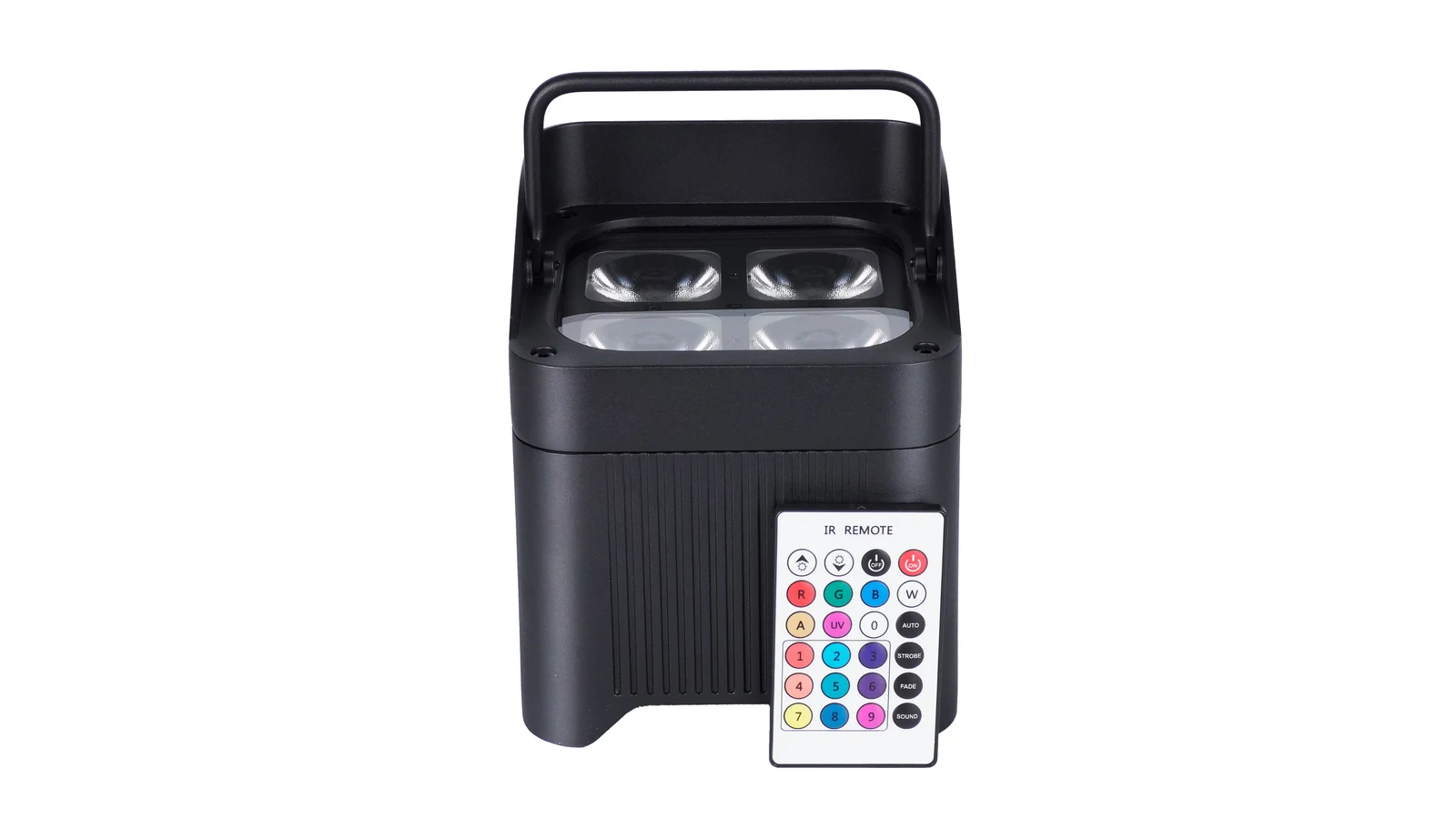
IR and dedicated RF handheld remotes are different control systems, so buyers should specify the exact remote and fixture combination rather than asking only whether an uplight is “wireless.” IR normally requires the operator to aim toward the fixture’s IR receiver with a usable optical path. A dedicated RF handheld remote communicates by radio and may remove that aiming step, but range, grouping and supported commands still depend on the named remote and compatible receiver.
LumiUp’s current battery uplights use IR handheld remote control. RF handheld remote control is not available in our current range. Other control options depend on the specific model and configuration. Wi‑Fi app control or Wireless DMX on a product does not establish compatibility with a dedicated RF handheld remote.
What Is the Difference Between IR and RF Remotes?
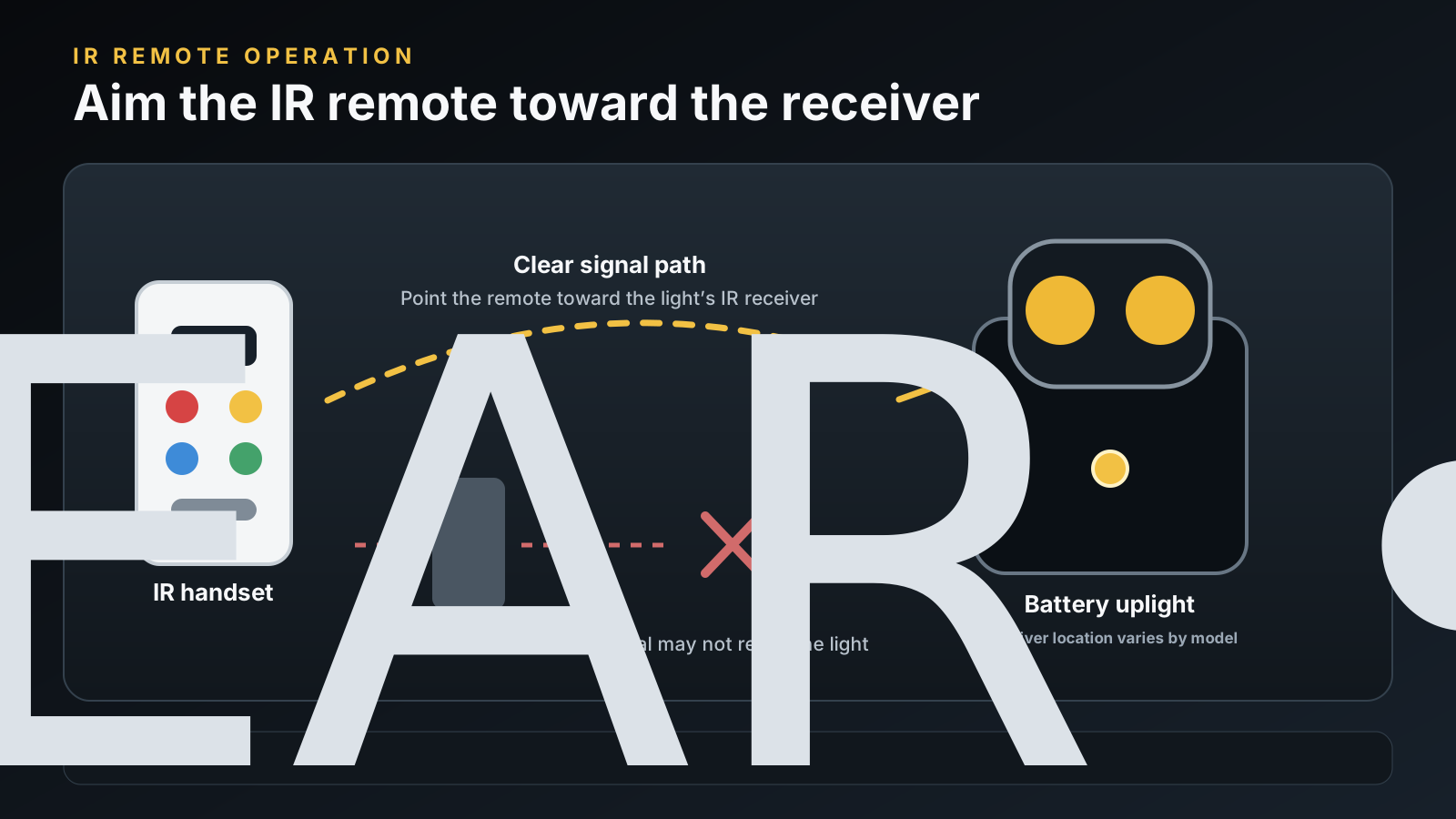
IR stands for infrared. It is electromagnetic radiation just beyond visible light; NASA’s infrared overview uses a television remote as a familiar example. In a battery-uplight remote, an IR emitter sends coded light pulses to an IR receiver on a compatible fixture. The operator therefore needs to know where that receiver is and aim so the signal can reach it. The receiver is not automatically the LED lens: its location must be identified from the fixture documentation or an operating demonstration.
RF means radio frequency. In this article, dedicated RF handheld remote means a physical remote designed to communicate by radio with a compatible receiver in the fixture. That is narrower than the general engineering meaning of RF transmission. Wireless DMX also uses a radio link, for example, but it is a different control path and does not prove that a dedicated RF handheld remote will work.
The CHAUVET IRC-6 and CHAUVET RFC show that both remote types exist in entertainment lighting, with each limited to explicitly compatible fixtures. Their published functions and operating specifications belong to those products; they are not universal standards and are not LumiUp specifications.
Swipe horizontally to compare IR and dedicated RF handheld remotes.
| What to compare | IR handheld remote | Dedicated RF handheld remote |
|---|---|---|
| Signal method | Coded infrared light to a compatible IR receiver | Radio transmission to a compatible RF receiver |
| Aiming and receiver access | Usually needs aiming and a usable optical path to the receiver | May operate without direct aiming, subject to the documented system and site conditions |
| Compatibility | Remote codes and the fixture’s IR receiver must match | Radio frequency alone is insufficient; remote, receiver, protocol and supported fixture must match |
| Practical operating range | Model-specific; ask for the stated conditions and test the quoted combination | Model-specific; obstacles, interference, antenna design and installation can affect operation |
| Multiple fixtures and groups | Several compatible fixtures may respond to the same command; independent zones are not automatic | One or more fixtures may respond; independent group selection exists only when the exact system documents it |
| Available functions | Defined by the remote buttons, fixture mode and implementation | Defined by the remote, receiver, fixture and selected group or operating mode |
Why “Wireless Control” Does Not Confirm RF Remote Support
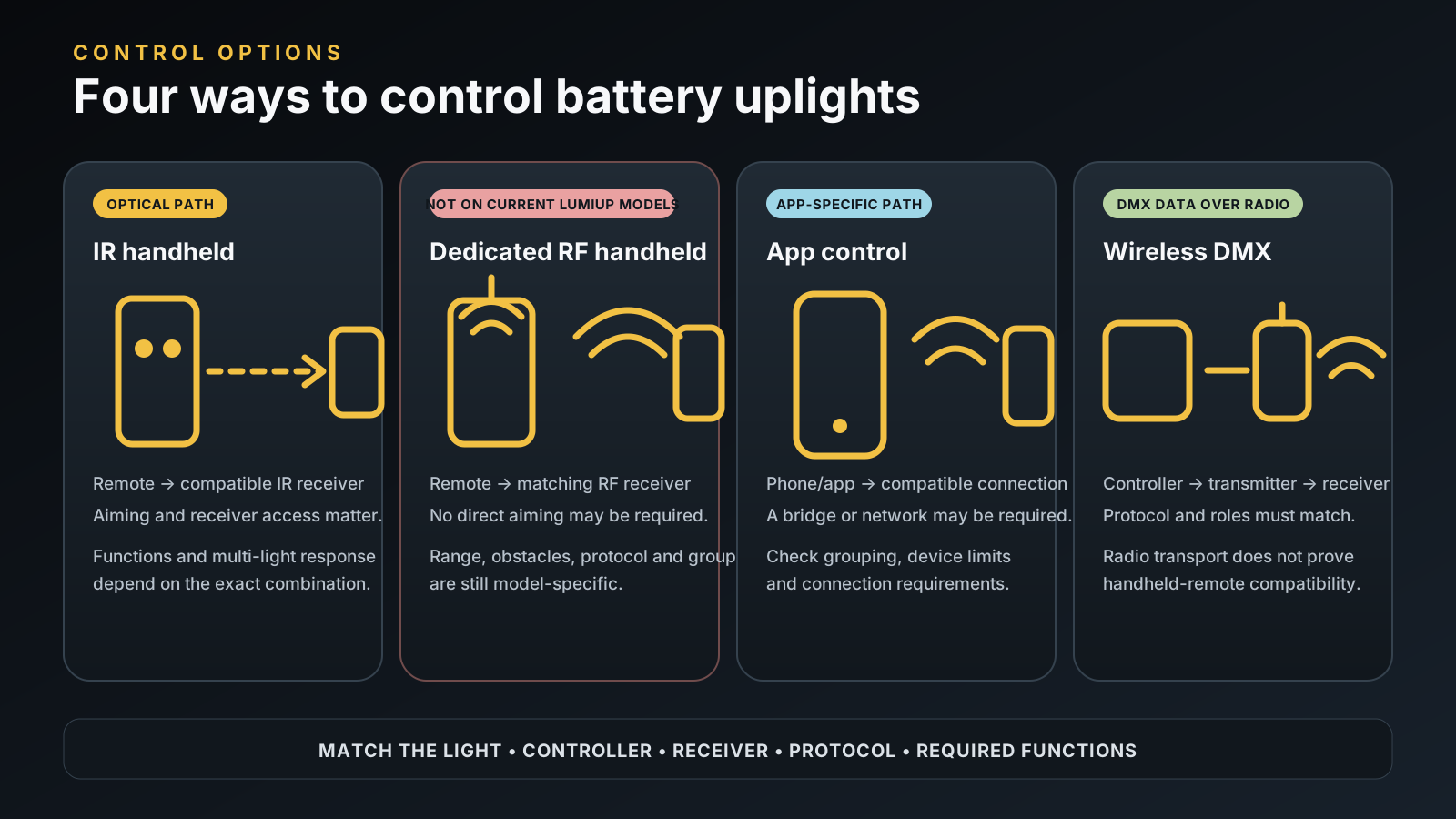
“Wireless” describes a cable-free link, not one universal interface. A procurement specification should separate four possible control paths:
- IR handheld remote: coded infrared light travels from a physical remote to the fixture’s compatible IR receiver.
- Dedicated RF handheld remote: a physical radio remote communicates with its matching RF receiver and implementation.
- App control: a phone or tablet uses the model’s documented app and connection method; supported functions and device behaviour are app-specific.
- Wireless DMX: a compatible transmitter carries DMX control data by radio to a receiver in or beside the fixture; the controller, protocol, mode and address plan still matter.
Some paths may use radio technology underneath, but that does not make them interchangeable. A 2.4G label, antenna, app icon or “Wireless DMX” statement does not answer whether a dedicated RF handheld remote is supported. The Freedom Par H9 IP product page is a useful market example because it lists a D‑Fi transceiver and a separate built-in receiver for named RF remotes. Those are two documented features, not one feature established by the other.
For help checking transmitters, receivers and protocols, read our Wireless DMX compatibility guide.
When Is an IR Remote a Practical Choice?
The best fit depends on how you plan to operate the lights. Consider these three example event setups.
Pre-event static setup. A crew places the uplights and sets one stable colour before guests enter. IR can be practical when each receiver is accessible and the operator is already near the fixtures. Test the intended placement, including covers, drape, furniture or housing orientation that could affect receiver access.
Occasional changes during the event. IR can suit a few colour, brightness or supported-program changes if the operator can aim at the required fixtures without interrupting service. Verify the exact commands. A button labelled “off” or “blackout” does not automatically mean physical power-off or remote power-on.
Frequent control from one fixed position. If an operator must repeatedly control widely separated uplights from a booth, balcony or behind scenic elements, the aiming and access workflow may be inconvenient. That does not prove a generic RF remote will work. It means the buyer should specify the control position and obstructions, then assess a compatible dedicated RF system, app workflow or Wireless DMX system against that requirement.
Can One Remote Control Multiple Uplights?
It can be possible for one compatible remote command to reach several compatible uplights, but buyers must distinguish shared response from independent groups.
Shared response means every reachable fixture that recognises the command performs the same action. For example, several uplights might change to the same supported colour. Independent grouping means the operator can select Zone A without changing Zone B. That requires a documented grouping method in the exact remote-and-fixture system; it is not guaranteed by either IR or RF.
IR is therefore not inherently “one remote, one light,” and RF does not inherently provide group buttons. The CHAUVET RFC-XL is one model-specific example that explicitly documents four fixture groups, while the simpler RFC page does not make the same group-control claim. This illustrates why the precise remote model matters.
Ask the supplier to demonstrate the quoted fixtures together. Test one command to all intended fixtures, then prove any required independent-zone selection separately. For app and address-based group planning, read the battery-uplight app grouping guide.
Which Remote Control Do LumiUp Battery Uplights Use?
LumiUp’s current battery uplights use IR handheld remote control. LumiUp does not currently offer an RF handheld remote in its range. A request that specifically requires a physical RF handheld remote is therefore not satisfied by the current LumiUp range.
For example, the LumiUp Aqua P4RX lists IR remote control, Wi‑Fi app control and built-in 2.4G Wireless DMX as separate features. These do not establish compatibility with a dedicated RF handheld remote.
Do not assume every LumiUp fixture has the Aqua P4RX control set, the same app behaviour or the same Wireless DMX implementation. The quotation and sample approval should identify the model, configuration and included accessories.
What Should You Check When Non-Line-of-Sight Control Is Essential?
Define where the operator will stand and note any walls, scenic elements or other obstacles between that position and the lights. Ask the supplier to demonstrate the proposed system in a layout that reflects those conditions; RF performance still depends on the equipment and environment.
A. A physical RF handheld remote is mandatory. State this as a pass/fail requirement. Current LumiUp products do not meet it, because an RF handheld remote is not available in the current range. App control and Wireless DMX are not equivalent substitutions unless the buyer explicitly accepts a different interface and workflow.
B. The main goal is to avoid aiming at each fixture. If the operator can use another interface, check whether the exact model supports an acceptable app or a compatible Wireless DMX control path. Document the controller, transmitter, receiver role, protocol, device behaviour and fallback. Do not assume a phone directly controls every fixture or that a 2.4G radio works with an unnamed transmitter.
C. Separate areas need independent cues. Record the zones, commands and cue timing. A system that makes all lights respond together does not meet an independent-group requirement. Use the app grouping article and Wireless DMX guide to evaluate the complete path without treating radio pairing as group control.
Ask for a demonstration using your planned operating position, fixture layout, relevant obstacles and the quoted hardware. Record the tested setup so the result can be compared with your venue plan.
A Pre-Purchase Remote-Control Checklist
Put the answers into the RFQ, sample approval and purchase specification. A short video or live demonstration should show the actual quoted fixture and remote labels, the operating position and the required responses—not a different model that merely looks similar.
Swipe horizontally to review the full procurement checklist.
| What to check | What to ask | Evidence to request |
|---|---|---|
| Exact remote type and model | Is the handset IR or dedicated RF, and what is its model number? | Label photo, manual and quotation line item |
| Fixture compatibility | Which exact fixture model and configuration accepts this remote? | Compatibility statement tied to both model numbers |
| Receiver position and aiming | Where is the receiver, and what optical path or orientation is required? | Receiver-location photo and operating demonstration |
| Operating distance | What distance is stated, under which conditions? | Manual specification plus a test from the intended position |
| Multi-fixture behaviour | Do all lights mirror one command, or can zones respond independently? | Demonstration of all-light response and each required zone |
| Supported functions | Which colours, dimmer steps, programs, strobe, blackout or other commands work? | Function matrix for the quoted combination |
| Included accessories | Is the remote included, optional or separately priced? Which battery or antenna is supplied? | Itemised quotation and packing list |
| Fallback control | What model-specific control method is supported if the handset is unavailable or unsuitable? | Written control-path diagram and recovery procedure |
Repeat the demonstration after any fixture, receiver, handset, firmware or configuration change. If the requirement includes remote blackout, clarify whether it means light output at zero, a standby state or physical power-off; these are not automatically the same function.
Frequently Asked Questions
Are RF and IR remotes interchangeable?
No. They use different transmission methods and require compatible receiver hardware, command codes and fixture support. A similar button layout or the word “wireless” does not make them interchangeable.
Does Wireless DMX mean a battery uplight supports an RF handheld remote?
No. Wireless DMX uses a radio link, but support for Wireless DMX does not establish compatibility with a dedicated RF handheld remote. Both features must be documented separately for the exact fixture.
Can one IR remote control several battery uplights?
Potentially, when several compatible fixtures can receive and recognise the same command. That shared response is not proof of selectable independent groups. Verify receiver access and behaviour with the proposed fixture layout.
Can I replace an IR remote with an RF remote?
Not by changing the handset alone. The fixture would need compatible RF receiving hardware and a supported implementation. Do not assume an RF conversion or upgrade is available, and do not modify fixtures without explicit manufacturer documentation and approval.
Do LumiUp battery uplights support RF handheld remote control?
No. LumiUp’s current battery-uplight range uses IR handheld remote control, and RF handheld remote control is not currently available. Model-specific app or Wireless DMX options are separate and must be checked for the quoted fixture.
What should I specify when requesting a quotation?
State the fixture quantity and model or application, the operator’s position, relevant obstacles, whether all fixtures may respond together, the number of independent groups, required commands, and whether a physical RF handheld remote is mandatory. Ask for the remote model, included accessories and an operating demonstration of the proposed combination.
Confirm the Control Workflow Before Ordering
Tell us your fixture quantity, operating position and grouping requirements, and whether a physical RF remote is essential. We’ll confirm which control functions are supported by the quoted model and whether they fit your workflow.