
Quick Answer
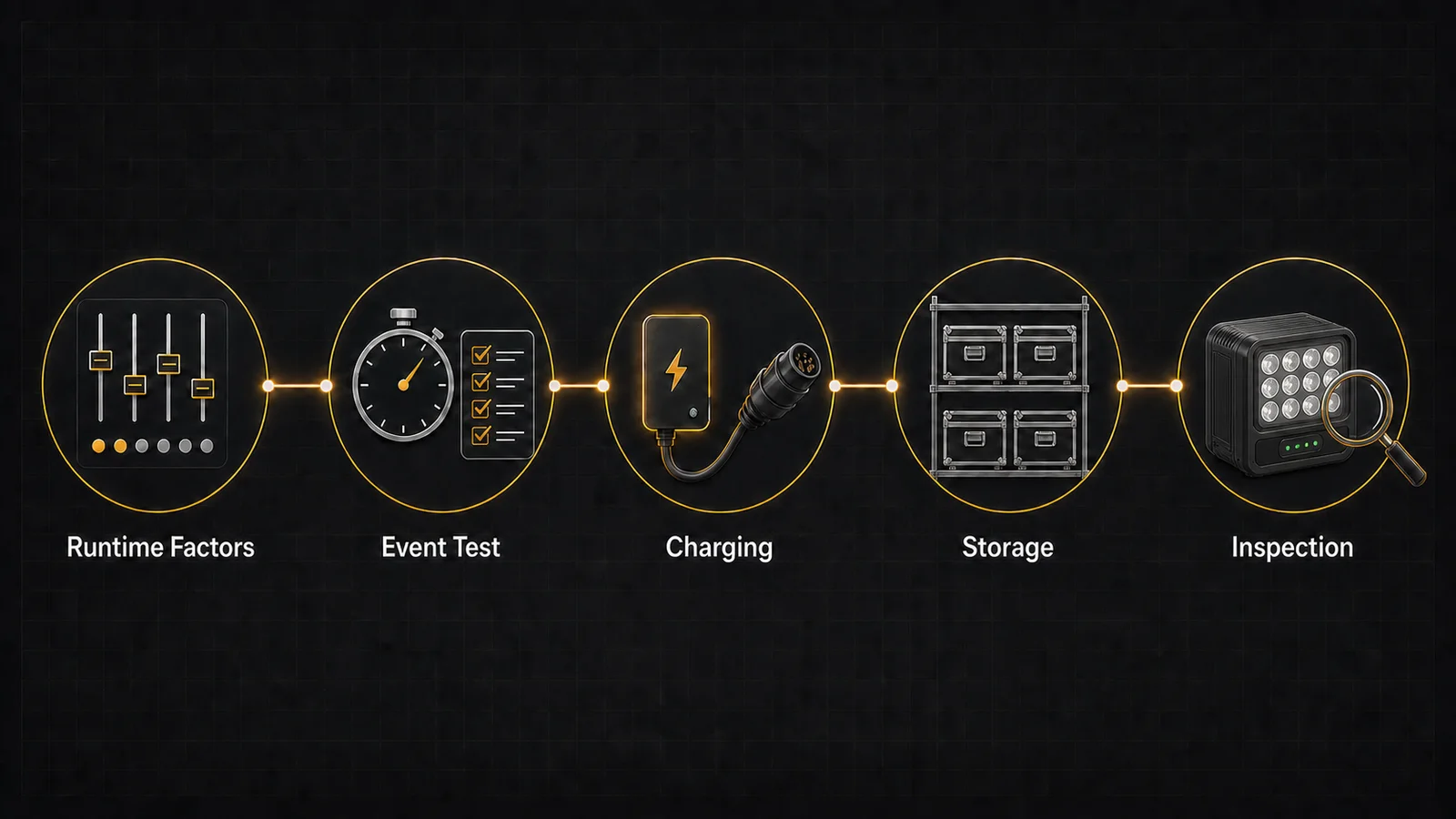
How long do battery uplights last? Runtime depends on the exact model, output level, color combination, program, ambient temperature, battery condition, and control settings. A maximum-runtime claim is not a full-output promise. For a dependable event plan, include setup and programming time, run a complete test with the actual scene, record the result, and keep a practical reserve plus a backup for critical positions.
Key Takeaways
- Treat every runtime figure as conditional on the exact fixture and test settings.
- Plan setup, programming, guest time, the main event, and breakdown—not only show length.
- Test with the colors, brightness, program, and control state the event will use.
- Use an approved charger and inspect dry, clean connectors before charging.
- Follow the exact manual for storage charge and inspection intervals.
- Remove abnormal fixtures from service; never open a sealed housing or rebuild a pack.
Table of Contents
- What a Published Runtime Rating Really Means
- The Main Factors That Change Battery Uplight Runtime
- How to Plan Runtime for an Event
- How to Run a Repeatable Runtime Test
- Runtime Planning Table for Common Event Phases
- Charging Practices That Protect Reliability
- Storage Between Events
- Battery Inspection and Warning Signs
- IP65 Does Not Mean Maintenance-Free
- Transport and End-of-Life Handling
- Verified Flex PL18 Pro Runtime and Battery Information
- Frequently Asked Questions
What a Published Runtime Rating Really Means
A published runtime is the result of a particular test, not a universal number that follows the fixture into every event. Before using it in a schedule, confirm the brightness, active LED channels, static or dynamic mode, wireless-control state, battery condition, ambient temperature, and the point at which the test ended.
Three runtime terms answer different questions:
| Runtime term | Practical meaning | What must be confirmed |
|---|---|---|
| Maximum runtime | The longest result under a stated low-demand or specific operating condition | Brightness, color, mode, temperature, and shutdown criterion |
| Full-output runtime | Operation at a defined high-output setting | Which channels were active and whether output was sustained or thermally managed |
| Typical event runtime | A result from a representative programmed scene | Scene timing, dimmer levels, effects, control state, setup time, and reserve |
Use “up to” only when its test conditions match the job. A single-color or dimmed result cannot represent every mixed-color, high-output scene. Ask for the conditions beside every number.
The Main Factors That Change Battery Uplight Runtime
Runtime changes because the complete fixture consumes energy, not because one battery number works in isolation.
| Factor | Why it changes the result | Planning response |
|---|---|---|
| Brightness or output level | Higher output generally requires more power, although the relationship may not be perfectly linear | Test at the actual dimmer level |
| Number and type of LED channels | A mixed white or multi-color look may energize more channels than one saturated color | Record the exact color recipe |
| Static color vs dynamic program | Chases, fades, strobes, and programmed duty cycles change average demand | Run the complete event program |
| Wireless control and display use | Receivers, processing, indicators, and displays are part of the total electrical load | Keep the intended control state during the test; do not apply a fixed percentage |
| Ambient temperature | Temperature can affect available energy, electronics, and thermal control | Test near expected conditions and follow the model manual |
| Battery age and cycle history | Normal aging and previous use can reduce usable capacity | Track fixtures individually and compare results over time |
| Charging condition | An incomplete or abnormal charge changes the starting point | Confirm the charge indication and approved charger |
| Fixture thermal management | Temperature regulation can alter sustained output or behavior | Record dimming, shutdown, warnings, or other final behavior |
Battery-management features vary by design. The CPSC battery safety overview treats cells, packs, chargers, protection, and the end product as one system. That guidance does not prove a particular LumiUp model has a named BMS function.
How to Plan Runtime for an Event
Use a six-step operating framework:
- Define the complete event window. Start with the scheduled duration from the first required lighting cue to the last.
- Add working time. Include placement, focusing, addressing, programming, rehearsals, guest arrival, holds, and the time before fixtures can be switched off.
- Lock the real look. Record the intended color, brightness, effects, control mode, and any changes between phases.
- Run a full test. Use the same fixture model, approved charger, settings, and representative environmental conditions.
- Add a safety margin. Do not schedule operation to the last measured minute. Set the reserve according to event criticality, fleet variation, battery condition, and the consequence of a dark fixture.
- Prepare a backup for critical areas. A ready spare, an approved power option, or a rehearsed scene change should protect entrances, stages, safety-relevant positions, and camera-critical backgrounds.
If a wider beam or diffuser changes the brightness needed for a surface, runtime planning should be repeated. Use the battery wash light beam-angle and diffuser guide to connect coverage decisions with the settings used in the test.
How to Run a Repeatable Runtime Test
A repeatable test creates an operational record, not just a stopwatch result. Fully prepare the fixture according to its manual, select the event scene, and define the end point before starting. Do not change settings during the run unless the actual event program includes that change.
Record these fields:
| Test field | What to record |
|---|---|
| Fixture model | Exact model and unit identifier |
| Battery age | Known installation date, service age, or “date not recorded” |
| Starting charge | Display or indicator state after approved charging |
| Color | Channel values, preset, CCT, or named scene |
| Brightness | Master dimmer and any channel limits |
| Control mode | Standalone, wired control, or verified wireless mode |
| Ambient temperature | Measured room or outdoor test condition |
| Start time | Time the programmed operating test began |
| End time | Time the defined end point occurred |
| Final behavior | Stable output, dimming, warning, shutdown, flicker, or control loss |
Test through the planned operating window and reserve. For a fleet, test several units and keep unit-level records. A new battery or fleet average can hide an aging or weak fixture.
Define the pass condition first. A fixture may remain on after its output becomes unsuitable. Use the same meaningful end point—such as insufficient brightness, a warning, scene change, or shutdown—for every unit.
Runtime Planning Table for Common Event Phases
Use this table as a worksheet. It deliberately contains no invented Flex PL18 Pro runtime.
| Event phase | Planned duration | Required setting | Verified result or action |
|---|---|---|---|
| Loading and setup | Enter scheduled time | Local setup level or lights off until needed | Enter verified test result |
| Programming | Enter scheduled time | Actual console, color, brightness, and wireless state | Enter verified test result |
| Guest arrival | Enter scheduled time | Arrival scene | Enter verified test result |
| Main event | Enter scheduled time | Full programmed show | Enter verified test result |
| Breakdown | Enter time before switch-off | Safe hold scene or off when permitted | Enter verified test result |
| Operational reserve | Set for event criticality | Same as the highest-risk phase | Confirm reserve and backup |
Add the phase durations and compare the total with the same tested sequence. If the window is too short, revise the plan, provide an approved power path, or choose documented performance that covers the job.
Charging Practices That Protect Reliability
Use the supplied charger or one explicitly approved by the manufacturer. Matching connector shape is not enough; the charger and complete fixture system must be compatible.
Before charging:
- Switch off and inspect the fixture as instructed.
- Confirm the charging interface is dry and clean.
- Check connectors, cables, strain relief, charger housing, and supply leads.
- Provide the ventilation required by the manual.
- Follow the approved charging and disconnection sequence.
Stop charging and remove the fixture from normal service if it becomes unusually hot, swells, smells abnormal, makes unusual sounds, shows a persistent charging fault, or has damaged wiring or connectors. Contact LumiUp or authorized service. Do not open a sealed fixture or unwrap, puncture, rebuild, or replace cells without a manufacturer-approved procedure.
For a complete return batch, use the battery uplight charging-time and fleet-turnaround guide to add charging queues, inspection, confirmation, packing and an operational reserve to the model-specific charge time.
IEC 62133-2 describes safety requirements and tests for portable sealed secondary lithium cells and batteries. It provides standards context only; any product certification claim requires a matching certificate for the exact model and battery configuration.
Storage Between Events
Turn the fixture off, clean it by the approved method, and dry every exterior surface and connector area before storage. Protect the fixture and charger from impact and contamination.
Avoid extreme temperatures, direct sunlight, and unapproved damp locations. During long storage, inspect at the manual’s interval and record abnormal charge indications, deformation, corrosion, odor, or performance.
There is no universal storage-charge percentage or top-up calendar. Storage level, recharge interval, and temperature limits must come from the Flex PL18 Pro manual or written LumiUp guidance. Confirm them before long-term storage.
Battery Inspection and Warning Signs
Remove a fixture from normal use and contact authorized service when you find:
- A sudden, repeatable drop in runtime under the same test settings
- Unusual heating during use, charging, or storage
- Swelling, a distorted enclosure, or a cover that no longer fits correctly
- An unusual odor, smoke, hissing, or other abnormal behavior
- Failure to charge normally with approved equipment
- Corrosion, contamination, moisture, or water-ingress signs around an interface
- A cracked charger, damaged cable, loose connector, or exposed conductor
Do not keep retrying a faulty charge, bypass protection, open the battery pack, or move cells between fixtures. Mark the unit clearly, separate it according to the manufacturer’s safety procedure, and arrange inspection by LumiUp or an authorized technician.
IP65 Does Not Mean Maintenance-Free
An IP65 rating, when verified for the exact model and configuration, describes ingress protection under defined test conditions. It does not mean immersion-proof, maintenance-free, safe with every connector open, or suitable for charging while wet.
After weather-exposed use, inspect the lens or glass, seals, port covers, housing, fasteners, and any interface specified by the manual. Clean and dry the fixture before storage or charging. A missing cover, damaged gasket, loose fastener, cracked lens, or deformed housing can change the protection the enclosure provides.
Flex PL18 Pro has an IP65-rated all-aluminum enclosure. Keep protective connector covers correctly secured, inspect the enclosure after weather exposure, and follow its operating instructions for outdoor use and charging.
Transport and End-of-Life Handling
Lithium battery transport rules depend on battery type, energy, condition, packing, mode, route, and carrier. The PHMSA lithium battery transport guidance explains the U.S. context and the greater risk of damaged, defective, or recalled batteries. Confirm current requirements for each shipment.
Do not place a damaged or end-of-life battery in ordinary waste. Use an appropriate recycling or hazardous-material channel, protect it as required, and follow local authority, carrier, and manufacturer instructions. A fixture that is safe to operate is not automatically prepared correctly for transport.
Flex PL18 Pro Runtime and Battery Information
The LumiUp Flex PL18 Pro product record lists an 18 × 20W RGBWA+UV panel, a 24,000mAh rechargeable 18650 lithium battery, IP65 protection and model-specific runtime and charging figures.
| Product field | Model information |
|---|---|
| Battery type | Rechargeable 18650 lithium battery |
| Capacity | 24,000mAh |
| Full RGBWA+UV runtime | 3 hours |
| Single-color runtime | Up to 18 hours |
| Automatic-mode runtime | 7 hours |
| Charging time | Within 8 hours |
| Charger and care | Use the supplied or explicitly approved charger and follow the Flex PL18 Pro operating instructions |
Use the wireless DMX compatibility guide when testing the fixture's 2.4GHz wireless DMX512, Wi-Fi app or infrared control alongside its runtime conditions.
Frequently Asked Questions
How long do battery uplights normally last?
There is no universal duration. It depends on the model, brightness, colors, program, temperature, battery condition, charging state, and control functions. Verify the event scene and keep reserve.
Why does full white use more battery than a single color?
Full white can activate more LED channels than one saturated color, increasing average demand. The result depends on the fixture. Test the exact white and single-color scenes; do not apply a universal ratio.
Should battery uplights be fully charged before every event?
Use the charge state required by the manual and test plan. A confirmed full charge can provide a repeatable starting point, but storage and top-up practices still require model-level instructions.
Can an IP65 fixture be charged while wet?
No. An IP65 claim does not make wet charging safe. Dry and inspect the interface, then follow the manual for connector state, environment, approved charger, and sequence.
How should battery uplights be stored between events?
Switch off, clean, dry, protect, and inspect them. Follow the exact manual for storage charge, temperature, and recharge interval; do not substitute a generic percentage.
When should a battery-powered light be removed from service?
Remove it after abnormal heat, swelling, deformation, odor, smoke, ingress signs, corrosion, damaged charging equipment, repeated charge failure, or verified runtime loss. Contact authorized service.
Does wireless DMX reduce runtime?
Wireless electronics are part of the total load, but the effect is model-specific. Keep the intended receiver state active during testing and do not apply a universal percentage.
Can users replace the battery pack themselves?
Only when the exact manual authorizes it with an approved part and procedure. Current Flex PL18 Pro data does not. Do not open the housing or rebuild a pack; contact authorized service.
Build a Runtime Record Before the Event
Dependable rechargeable event lighting starts with a complete operating window, a representative test, a documented reserve, approved charging, dry storage, and routine inspection. Keep every result tied to the exact fixture and settings.