
Quick Answer
How long do battery powered uplights last? There is no single runtime for every fixture. Battery runtime is the usable battery energy divided by the fixture’s average power draw, then adjusted for brightness, active LED channels, control functions, temperature, battery condition, conversion losses, and the reserve required for the event. Read every published runtime together with its test mode and output setting.
Key Takeaways
- Runtime cannot be judged from mAh alone.
- Watt-hours are more useful when comparing batteries with different voltages.
- Full-output mixed-color modes usually draw more power than reduced-output operation.
- A credible runtime statement includes its test conditions.
- An event schedule needs a practical battery reserve.
- Fleet charging capacity matters as much as the runtime of one fixture.
What Determines Battery Powered Uplight Runtime?
Battery powered uplight runtime is determined by stored energy, real fixture consumption, operating mode, environmental conditions, and battery condition. No single specification explains the complete result.
Battery Energy in Watt-Hours
Watt-hours measure stored electrical energy. A pack’s Wh value combines voltage and charge capacity, so it is more useful than mAh alone when comparing packs at different voltages. The U.S. Department of Energy’s battery-charger test procedure likewise defines nameplate battery energy capacity from voltage and charge capacity.
Actual Fixture Power Draw
Actual power draw is the average power used by the complete fixture in the selected show mode. The sum of the LED chips’ rated wattage is not the same as measured whole-fixture consumption. Drivers, displays, wireless receivers, cooling, processing, and programmed duty cycles can change the load.
Brightness and Output Mode
Higher output normally increases power demand, while dimmed scenes or energy-saving modes may extend runtime. The relationship is not always perfectly linear because electronics and thermal controls also consume power. Use the brightness and mode that will actually run during the event when testing.
Active Colors and LED Channels
Different color mixes can activate different LED channels. An RGB, RGBW, or RGBWA+UV fixture may therefore draw a different amount of power for a single saturated color than for a full mixed-color look. Do not apply a universal percentage; measure the programmed scene on the exact fixture.
Battery Age and Condition
Battery condition affects usable capacity. Charging history, storage, temperature exposure, and normal aging can reduce the energy available to the fixture even when its display reports a full charge. Number fleet units and track unexpected runtime changes so weak batteries are not hidden inside an average.
Temperature and Operating Environment
Temperature can change both available energy and battery life. U.S. National Renewable Energy Laboratory research notes that low temperatures reduce lithium-ion power and energy capability, while high temperatures can accelerate degradation. Follow the product manual rather than inventing a universal temperature range, and test close to the expected event conditions.
Why mAh Alone Does Not Tell You the Runtime
Milliamp-hours measure electric charge, not total energy. A higher mAh number is not automatically a higher-energy battery when pack voltages differ. Convert mAh to Ah, then combine charge capacity with nominal voltage:
Ah = mAh ÷ 1,000
Wh ≈ Voltage × Ah
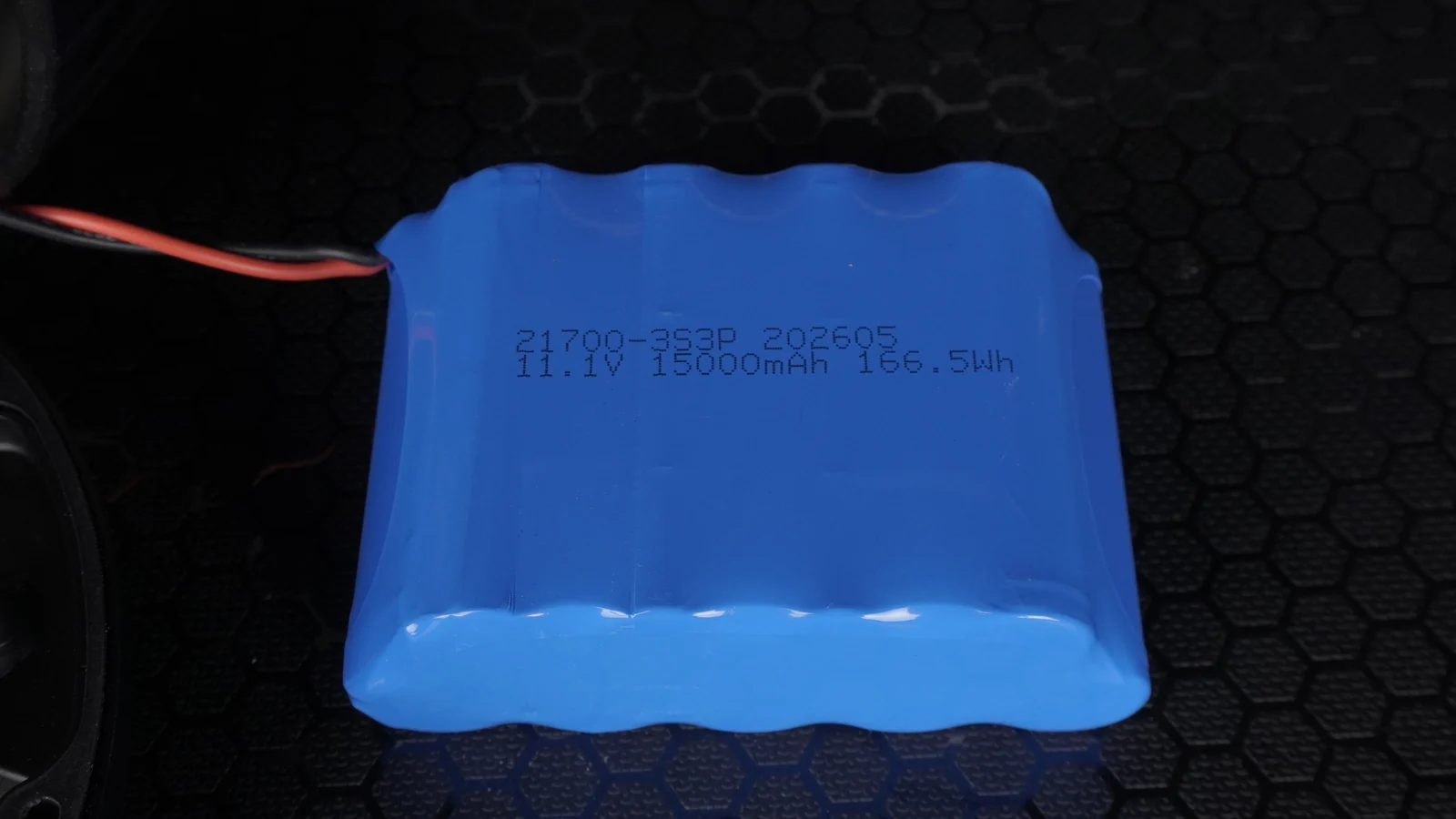
Verified image evidence: The accessible LumiUp battery-pack photograph is printed
11.1 V,15,000 mAh, and166.5 Wh. The pack is shown as a real technical example and is not assigned to a specific fixture model.
For this photographed pack:
15,000 mAh ÷ 1,000 = 15 Ah
11.1 V × 15 Ah = 166.5 Wh
The calculation matches the printed 166.5 Wh rating. That does not promise a specific number of operating hours. Runtime still depends on usable discharge energy, the battery-management reserve, conversion losses, average fixture power, mode, temperature, condition, and the event reserve.
A Practical Runtime Estimation Method
A practical estimate divides usable battery energy by measured average fixture power. It is a planning tool, not a product guarantee:
Estimated runtime ≈ usable battery energy ÷ average fixture power draw
Use measured whole-fixture power for the actual scene. Do not substitute the total nominal wattage of the LED chips. If a hypothetical fixture had 120 Wh of usable energy and averaged 30 W in the intended mode, the illustrative estimate would be about four hours before an operational reserve. Those figures are not LumiUp product specifications.
Confirm the result with the real fixture, charger, battery condition, brightness, colors, control state, and temperature that will be used on site.
Why Published Runtime Needs Test Conditions
A runtime claim is useful only when the operating conditions are stated. Ask for brightness, active channels, mode, wireless or DMX status, temperature, battery condition, starting point, and shutdown criterion.
| Runtime claim | Required context | Why it matters |
|---|---|---|
| “Up to 20 hours” | Brightness setting | Reduced output may run much longer |
| “All-night battery” | Event duration | “All night” is not measurable |
| “15,000 mAh battery” | Pack voltage | mAh alone does not show total energy |
| “Full power runtime” | Active colors and test method | Output conditions may change consumption |
When comparing models, use results measured under matching conditions. A single-color test, full mixed-color test, and dimmed scene answer different questions.
How to Test Battery Uplight Runtime Before an Event
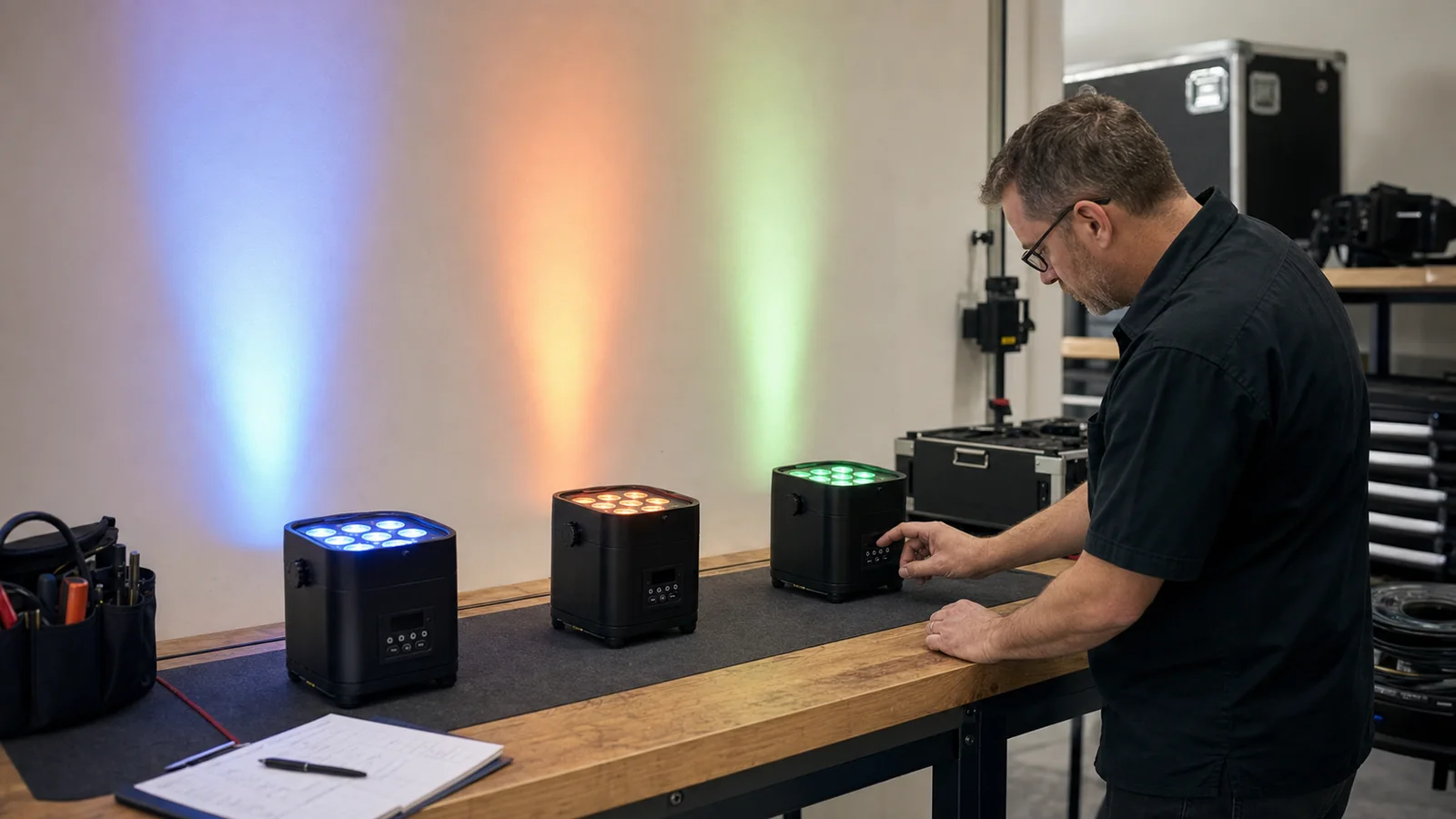
The best pre-event test reproduces the real show as closely as practical. Use the approved charger and define the end point before starting.
- Fully charge the fixture with its approved charger.
- Record the unit number, battery age if known, and charge indication.
- Select the actual show or control mode.
- Set the brightness and color combination planned for the event.
- Enable the required wireless, DMX, display, or programmed functions.
- Record the start time and relevant room conditions.
- Monitor light stability and the battery indication without changing the scene.
- Record when the fixture reaches the defined shutdown or unacceptable-output threshold.
- Repeat the test for a critical event or a representative sample of the fleet.
- Add operational reserve instead of scheduling to the last measured minute.
Document the result with the settings. The same process can be added to a broader event setup and cable-planning check.
Planning Charging for a Fleet of Battery Uplights
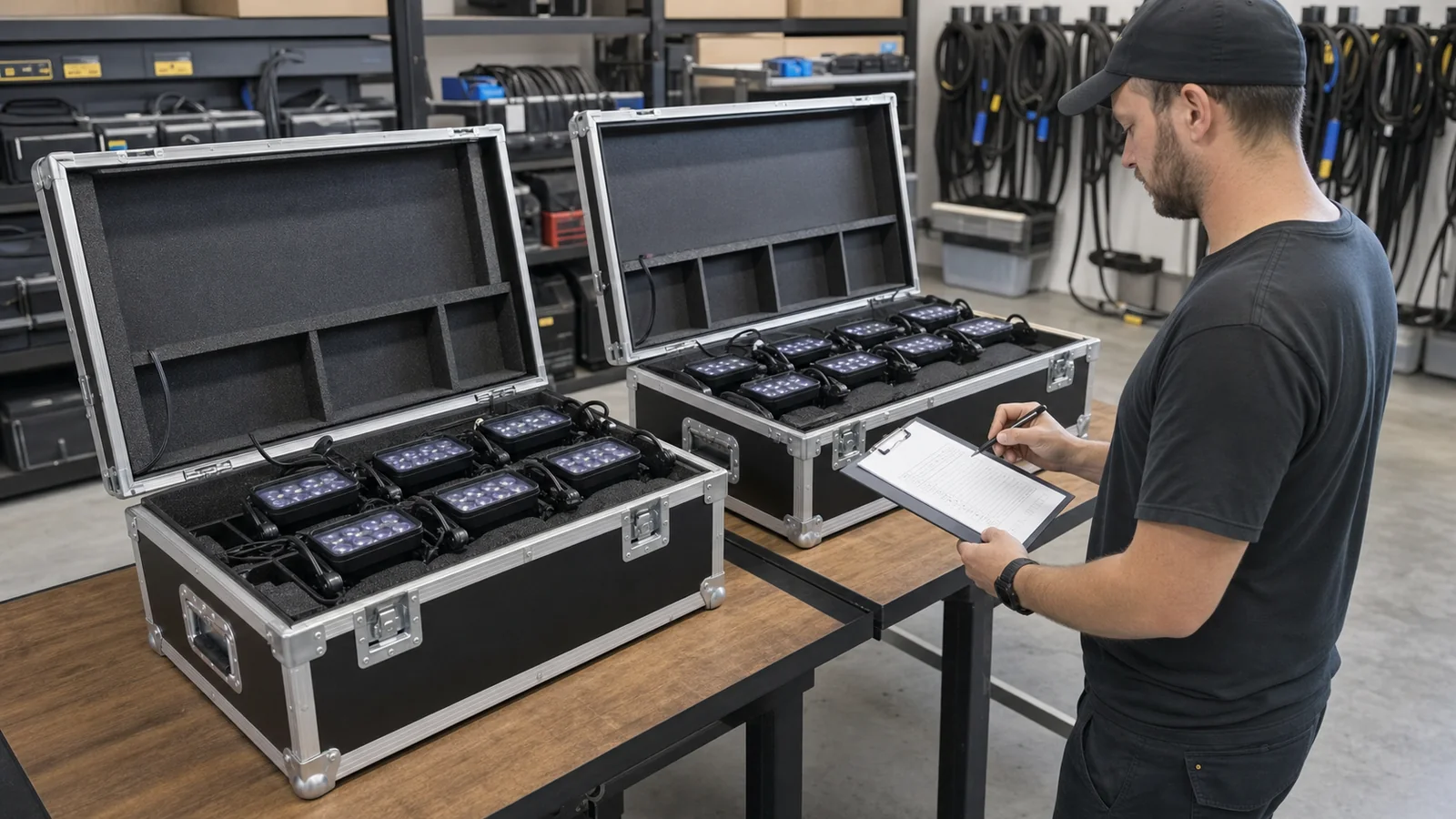
Fleet charging is a capacity and turnaround problem. Count how many units return together, how many can charge simultaneously, how long the available window lasts, and which approved chargers, cases, racks, and circuits are available.
The full fleet-turnaround method shows how to calculate charging batches and distinguish theoretical charging time from a dispatch time that also includes inspection, checks, packing and reserve.
| Planning item | Question to answer |
|---|---|
| Fleet size | How many fixtures return at the same time? |
| Charging points | How many units can charge simultaneously with approved equipment? |
| Turnaround | How many hours are available before the next dispatch? |
| Circuit capacity | Can the charging system operate safely on the available circuit? |
| Reserve | How many fixtures are kept ready as backup? |
| Tracking | How are weak or aging batteries identified? |
Use a fleet charging checklist:
- Number every fixture and record charge status at return and dispatch.
- Quarantine units with damaged cables, abnormal heat, or charging faults.
- Confirm case ventilation and electrical limits from the manufacturer’s instructions.
- Schedule charging around transport, cool-down, inspection, and the next load-out.
- Keep approved chargers and accessories with the fixtures they support.
- Verify the available circuit before running multiple cases together.
Do not infer the capacity or electrical rating of a charging flight case from its appearance. Compare LumiUp battery lighting options and request the verified accessories for the selected configuration.
Battery Care Between Events
Safe battery care starts with the product instructions. Use the approved charger, keep damaged cables out of service, avoid unnecessary long-term full discharge, and follow the documented storage charge and temperature procedure for the exact pack.
Inspect batteries and charging equipment before use. The U.S. Consumer Product Safety Commission warns against using separated loose 18650 cells and incompatible chargers; do not open a heat-shrink battery pack or attempt a cell-level repair. Keep charging areas orderly, ventilated as required by the product instructions, and away from combustible storage.
Transport rules are separate from operating instructions. The U.S. Department of Transportation’s PHMSA lithium-battery guidance explains that lithium batteries are regulated in transport and that damaged batteries present greater risk. For passenger air travel, consult the current FAA PackSafe rules and the carrier before packing any fixture or spare battery. Commercial shipping can follow different requirements.
Warning Signs That a Battery Needs Inspection
Stop normal use and refer the unit to qualified service if a battery pack is swollen, has damaged wrapping or exposed wires, becomes unusually hot, produces an unusual odor, runs much shorter than expected, will not charge normally, or repeatedly shuts down under a normal verified load.
PHMSA’s guidance on damaged lithium batteries identifies physical damage, swelling, odor, corrosion, and damaged wiring as warning signs. Do not puncture, unwrap, dismantle, or attempt to rebuild the pack. Isolate the fixture according to the manufacturer’s safety procedure and arrange professional inspection.
Questions to Ask Before Buying Battery Powered Uplights
Good purchasing questions connect battery specifications to the event and charging workflow:
- What is the battery capacity in Wh?
- What is the nominal battery-pack voltage?
- Under what conditions was runtime tested?
- Is runtime stated at full mixed-color output or reduced output?
- How long does charging take with the approved charger?
- How many fixtures can charge simultaneously?
- Can battery condition or remaining charge be checked on the fixture?
- Is the battery serviceable or replaceable by authorized technicians?
- What is the documented storage procedure?
- Which charging, transport, and fleet-management accessories are verified?
Also confirm optics, output, control, enclosure, and placement. The professional spacing guide shows why runtime and quantity should be planned together.
How LumiUp Approaches Battery and Runtime Information
LumiUp develops professional battery-powered LED lighting for event, rental, stage, and temporary architectural applications. The current product catalog records battery capacity, runtime modes, charging time, control, and environmental information at model level where verified data is available.
Battery capacity, operating mode, and charging workflow should be evaluated together. LumiUp can review the event duration, desired brightness and color use, fixture quantity, control method, turnaround, and charging requirements before recommending an available configuration. Use the quoted model's current product record and order specification for battery, runtime, charging, and accessory details.
You can check a fixture’s verified runtime and charging data or browse the Battery & Charging knowledge path.
Frequently Asked Questions
How long do battery powered uplights last?
There is no universal runtime. It depends on usable watt-hours, average whole-fixture power, brightness, active LED channels, control functions, temperature, battery condition, and the shutdown threshold. Use the published result only when its test conditions match the intended scene. Then confirm the actual fixture before the event and keep reserve for setup time, schedule changes, and battery variation.
Is a higher mAh battery always better?
No. mAh measures charge capacity and must be read with the pack voltage. A lower-mAh pack at a higher voltage can store more energy than a higher-mAh pack at a lower voltage. Compare Wh first, then consider usable energy, pack design, battery condition, fixture efficiency, weight, charging time, and verified runtime under the same operating conditions.
What is the difference between mAh and Wh?
mAh measures electric charge; Wh measures energy. Convert mAh to Ah by dividing by 1,000, then estimate energy with Wh ≈ voltage × Ah. Wh is therefore more useful when comparing packs with different voltages. Neither number alone guarantees fixture runtime because usable energy, electronics, power draw, mode, temperature, and reserve still matter.
Does brightness affect battery uplight runtime?
Yes. Higher brightness usually increases average power draw and shortens runtime, while dimmed operation may extend it. The change may not be perfectly proportional because drivers, displays, wireless control, cooling, and other electronics also consume power. Test the exact brightness and programmed scene, and do not use a reduced-output result as a promise for full-output operation.
Do different colors use different amounts of battery power?
They can. Different colors activate different LED channels, and a mixed-color or white look may use more channels than a single saturated color. The result depends on the fixture’s LED system, driver design, calibration, and program. Do not apply a generic percentage across RGB, RGBW, or RGBWA+UV fixtures; measure the actual scene on the selected model.
How long does it take to charge battery powered uplights?
Charging time is model-specific. It depends on the battery, approved charger, battery state, temperature, charging control, and whether the fixture is charged individually or in a supported system. Use the current specification for the exact model. For a fleet, also calculate how many units can charge at once and whether the available turnaround covers inspection and dispatch.
Can battery uplights be charged inside a flight case?
Only when the case and fixture are specifically designed and approved for that charging method. Confirm compatible connectors, case capacity, ventilation, electrical input, circuit demand, status indication, and the manufacturer’s operating procedure. A normal transport case should not be treated as a charging case, and the number of visible slots does not prove how many fixtures can charge simultaneously.
How should battery uplights be stored between events?
Follow the exact fixture or battery manual for storage charge, temperature, inspection interval, and approved charging method. Keep units dry, protected from impact, and separated from combustible clutter. Do not invent a universal storage percentage. During longer storage, perform the documented periodic checks and remove any unit showing swelling, damage, unusual heat, odor, or charging faults from normal service.
How can I test battery life before a wedding or live event?
Fully charge the fixture, select the actual show mode, set the intended brightness and colors, enable required control functions, and record the start time and defined end point. Test in conditions close to the venue when possible. Repeat critical tests on a representative sample, record each unit, and schedule the event with reserve rather than using the last measured minute.
When should an uplight battery be inspected or replaced?
Arrange qualified inspection when a pack swells, has damaged wrapping or wires, becomes unusually hot, smells abnormal, will not charge normally, shuts down repeatedly, or delivers unexpectedly short runtime under a controlled test. Replacement timing must follow model-level service guidance and measured condition. Do not open the pack or replace individual cells without an authorized procedure.
Conclusion
Battery powered uplight runtime should be evaluated through watt-hours, real fixture consumption, operating mode, test conditions, battery condition, and the charging workflow—not from one headline number. The practical answer to “how long do battery powered uplights last?” comes from a model-level specification followed by a representative test and a sensible event reserve.
Browse LumiUp battery-powered lighting, review the exact model’s verified battery information, or contact LumiUp to plan battery lighting for your event using the required operating time, brightness, color mode, fixture quantity, and batch-charging window.